The FusePoint Section WebPart Customizer is a front-end styling web part that applies visual customizations to all web parts sitting within the same SharePoint section. It consolidates border controls, spacing, custom CSS injection, and background generation into a single, easy-to-configure web part — eliminating the need for multiple styling tools on a page.
Note: This web part replaces the standalone FusePoint Background Generator. All background customization features are now available within this web part. See the Background Customization section below.
Features
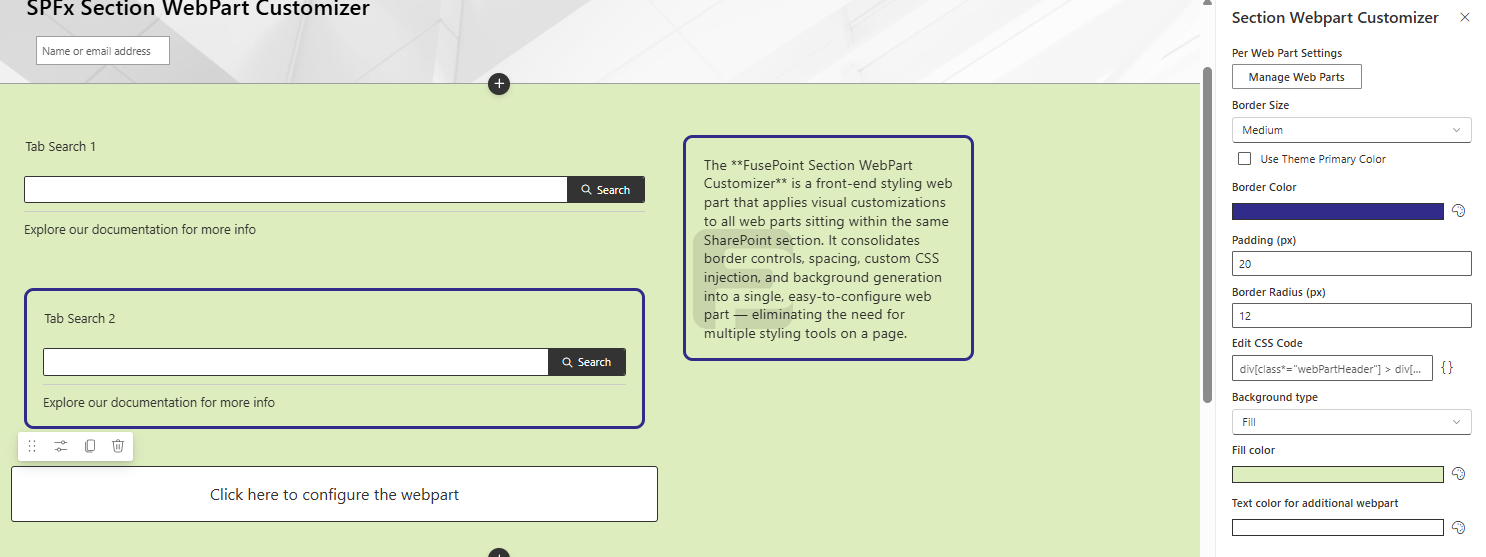
Border Controls: Choose size (small / medium / large) and color for section borders
Padding: Add inner spacing around web part content (in px)
Border Radius: Round the corners of bordered web parts
Custom CSS: Inject CSS scoped exclusively to the web part's section
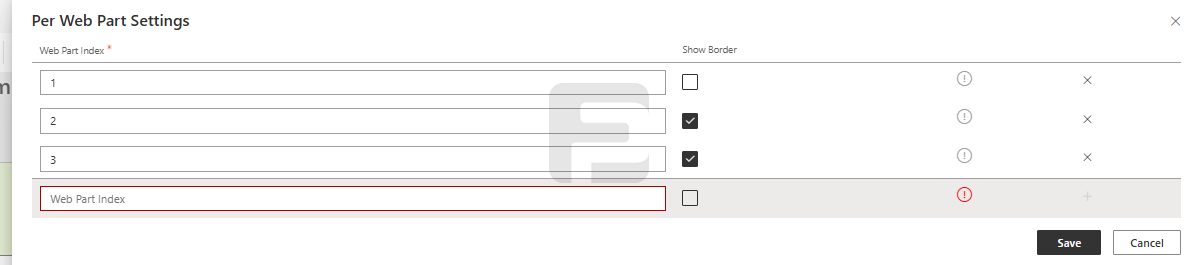
Selective Borders: Hide borders on individual web parts by index
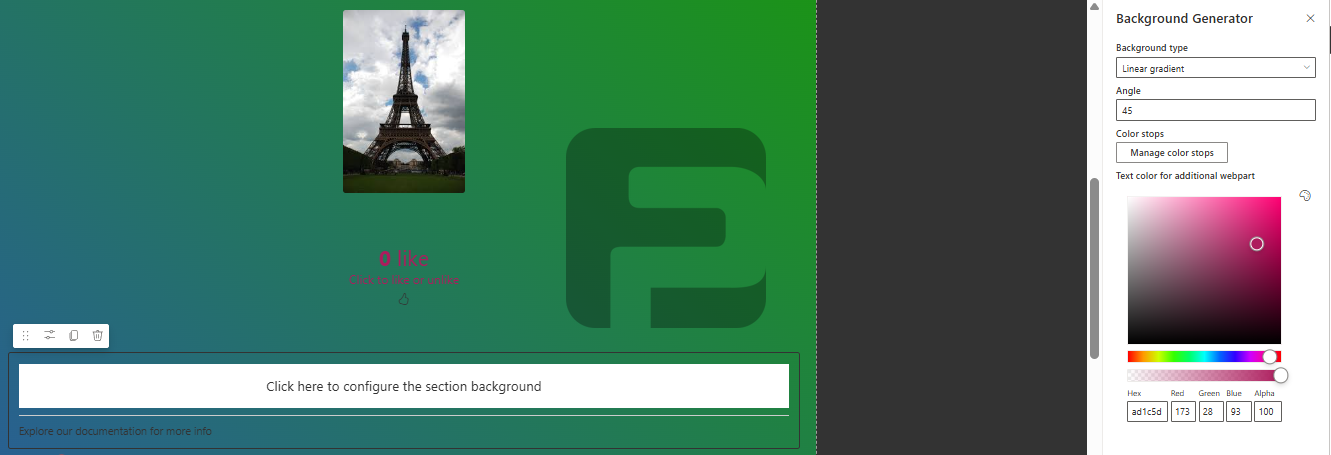
Background Customization: Solid colors or multi-color gradients for the entire section
Text Contrast: Automatic or manual text color selection for readability
Live Preview: Real-time visualization of all changes
SharePoint Integration: Works with both FusePoint and OOB web parts in the same section
How to Use
Adding the Web Part
Edit your SharePoint page
Select Add a Web Part from the ribbon
Choose FusePoint Section WebPart Customizer from the gallery
Add it to the section you want to style — it will affect all web parts in that section
Border & Spacing Options
Configuring Borders
Open the web part property panel
Set Border Size: Small (1px) / Medium (4px) / Large (10px)
Set Border Color using the color picker (defaults to your site's primary color)
Set Padding in px (default: 0)
Set Border Radius in px (default: 0)
Hiding Borders on Specific Web Parts
By default, all web parts in the section receive a border — except Text and Spacer web parts, which are always excluded.
To hide the border on a specific web part:
Count the web parts in the section from top to bottom (starting at index 1 — Text and Spacer are counted too)
Enter the index number(s) of the web parts you want to exclude from the border
Example: If your section contains:
1 — Text
2 — Spacer
3 — FusePoint Web Part   ← enter "3" to hide its border
4 — Quick Links
Custom CSS
The custom CSS field allows you to write styles that are scoped exclusively to the web part's section — they will not affect other sections on the page.
Example — increase title font size for all web parts in the section:
.section-title {
  font-size: 30px;
}
Example — fix OOB Quick Links overflow when padding is applied:
The background customization features from the legacy FusePoint Background Generator are built into this web part.
Configuring Backgrounds
Select background type: Solid or Gradient
For Solid: choose a fill color
For Gradients:
Set the gradient angle (0–360°)
Add or remove color stops
Adjust color positions
Set text color for optimal readability against the background
Save to apply changes
Background Options:
Solid Color: Full spectrum color picker
Gradient: Multi-stop gradients with adjustable angles and positions
Text Contrast: Automatic or manual color selection
Benefits
All-in-One: Replaces separate Background Generator and Section Customizer web parts
Scoped Styling: CSS and borders apply only within the target section
Compatible: Works with FusePoint and out-of-the-box SharePoint web parts
Brand Alignment: Match corporate color schemes with precise color controls
No Code Required: Intuitive property panel — no developer needed for common tasks
Conclusion
The FusePoint Section WebPart Customizer brings all front-end section styling into one place — borders, spacing, scoped CSS, and backgrounds. It reduces clutter on your SharePoint pages while giving editors full visual control over individual sections without any custom development.
Try FusePoint for Free!
No credit card required.
FusePoint
The perfect addition to your SharePoint environments.