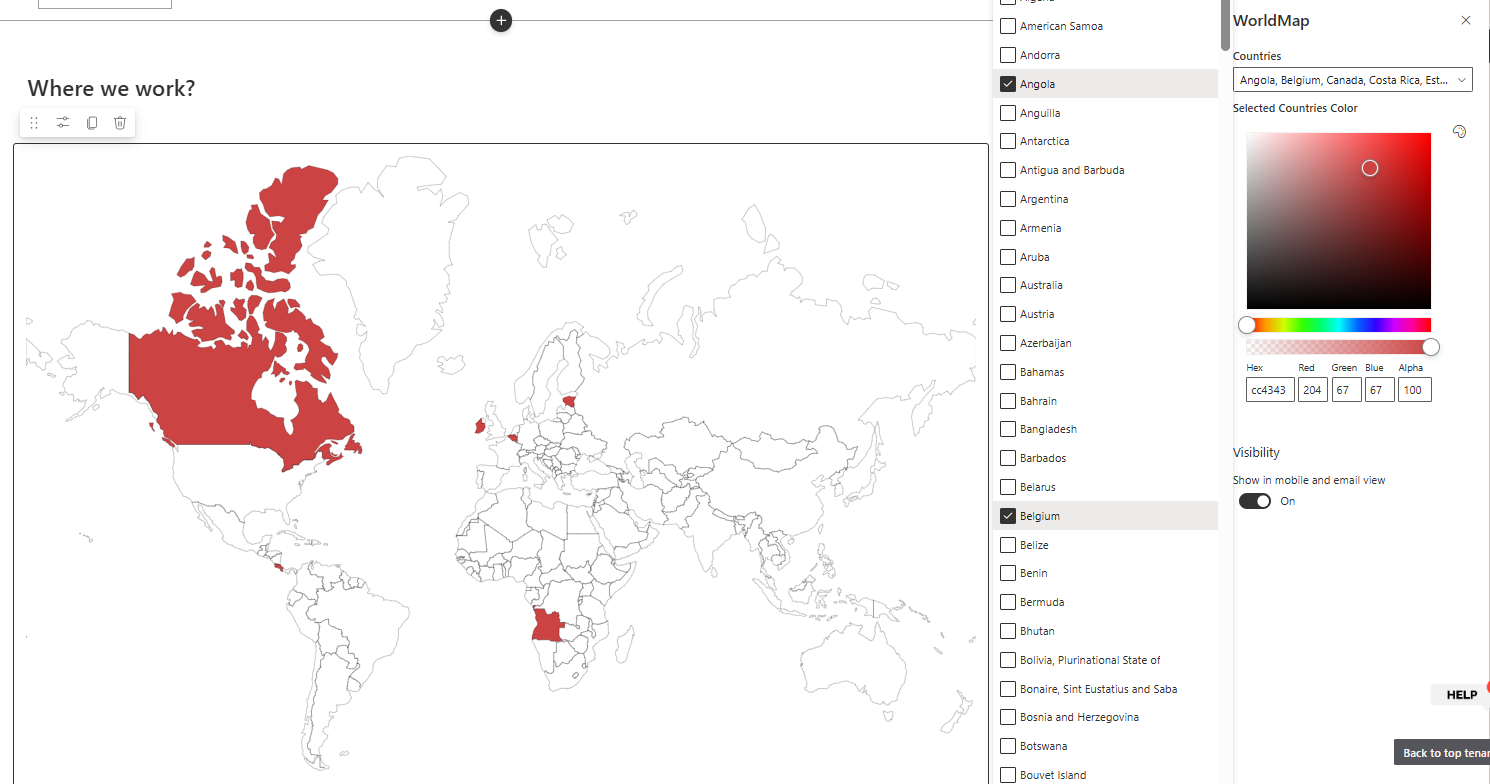
The FusePoint World Map web part displays an interactive global map directly in SharePoint.
It allows site owners to highlight one or more countries and apply a custom color to clearly represent office locations, supported regions, or business footprint across the world.
Features
Interactive World Map: Display a global map inside SharePoint pages
Multi-Country Selection: Select multiple countries to highlight at once
Color Customization: Choose the highlight color for selected countries
Visual Office Mapping: Present headquarters, branch offices, or service regions
Simple Configuration: Manage display options from the web part properties
Responsive Layout: Works across desktop and mobile page layouts
How to Use
Adding the Web Part
Edit your SharePoint page
Select "Add a Web Part" from the ribbon
Choose FusePoint World Map from the web part gallery
Place it in your preferred section
Configuring the Map
Open web part properties
Select one or more countries from the country selector
Set the highlight color for selected countries
Save and publish the page
Example Use Cases
Show global office locations
Highlight countries where services are available
Visualize market expansion or regional operations
Benefits
Quick Geographic Context: Turn location data into an easy-to-read visual
Improved Communication: Help users understand global presence at a glance
Flexible Business Scenarios: Works for HR, operations, sales, and leadership pages
Low Maintenance: Update country selections and colors without custom coding
Conclusion
The FusePoint World Map web part helps organizations communicate global footprint clearly inside SharePoint.
With multi-country highlighting and color customization, teams can present office locations and regional coverage in a clean, visual format.
Try FusePoint for Free!
No credit card required.
FusePoint
The perfect addition to your SharePoint environments.